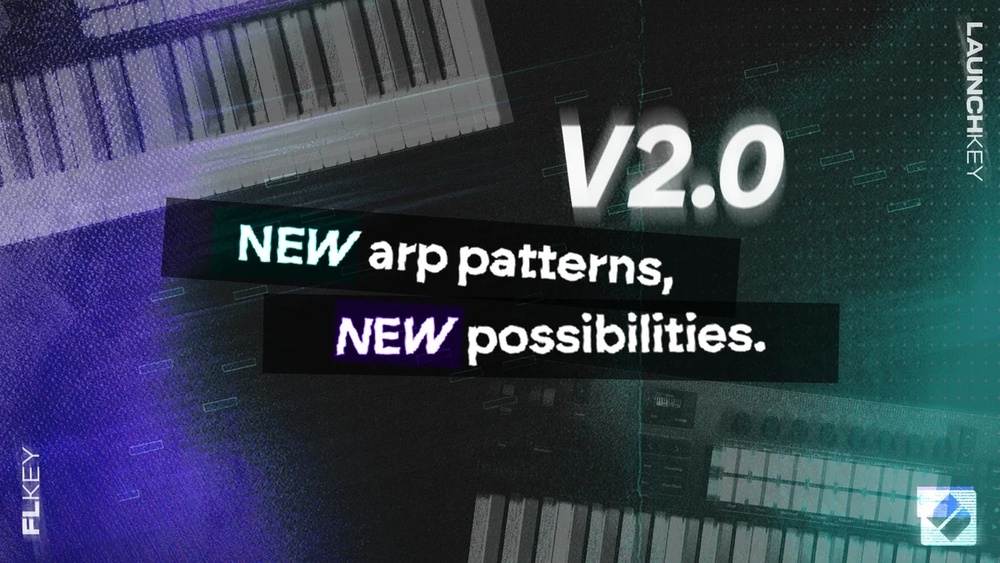
Firmware updates for MIDI controllers are usually minor tweaks that hardware brands bury in patch notes. The Novation Launchkey MK4 and FLkey 2 v2.0 update is something different. Novation just dropped a free firmware upgrade that meaningfully expands what these controllers can do — adding six new arpeggiator types, two-way plugin feedback via the OLED display, full NKS 2.0 support, and a knob behaviour option producers have been requesting since launch. This isn’t a press release dressed up as news. This is a genuine, opinionated look at whether this update actually matters for your setup.
What’s Actually New in v2.0?
Let’s skip the corporate summary and get straight to what changed. Here’s the v2.0 feature list at a glance:
| Feature | What It Means |
|---|---|
| 6 New Arp Types | Total of 14 arp modes, including Pedal Low/High Up/Down, Innie & Outie |
| Arp Chord Mode Routing | Route any chord mode output directly into the arpeggiator |
| Arpeggiator Snapshots | Save up to 8 arp states directly to your hardware |
| Novation Play 2-Way Feedback | See exactly what you’re tweaking on the OLED display |
| NKS 2.0 Support | Same OLED feedback for 2,000+ NKS-ready plugins |
| Pot Style Encoder Curve | Knobs now behave like traditional fixed potentiometers |
What Novation Isn’t Telling You
The press release is polished. But a few things are conspicuously absent.
First — the Pot Style encoder curve. This was a community request. The fact that it took this long to arrive suggests Novation shipped the hardware with a known friction point. The original relative encoder behaviour frustrated producers who wanted predictable knob feel. It’s fixed now, but it’s worth noting it wasn’t there at launch.
Second — Novation Play integration is bundled with both controllers, but the two-way OLED feedback being touted here? That only works within Novation’s own ecosystem. If you use a third-party softsynth that isn’t NKS 2.0 certified, you’re back to guessing what your knobs are doing. That’s a real-world limitation that the press release glosses over.
Third — arpeggiator snapshots cap at eight slots. That’s enough for most sessions, but power users who build complex performance setups may hit that ceiling fast.
How Does It Stack Up Against the Competition?
If you’re already deep in the Arturia KeyLab ecosystem, this update won’t convince you to switch. Arturia’s Analog Lab integration is similarly tight, and the KeyLab Mk3 Ultra offers more physical controls out of the box.
But if you’re still on an older controller — an Akai MPK Mini, a Nektar Impact, or even a Launchkey MK3 — the MK4 with v2.0 firmware is a meaningful leap. The OLED parameter display alone changes how you interact with plugins. You stop tab-switching between your keyboard and your screen. That matters.
The FLkey 2 specifically deserves attention here. FL Studio producers have historically been underserved by MIDI controller manufacturers. The FLkey 2’s DAW integration has been getting progressively stronger, and v2.0 continues that trajectory. If FL Studio is your home, this controller is now the most deeply integrated option on the market. Full stop.
Not sure which MIDI keyboard controller fits your setup? We’ve broken down the full field — from beginner-friendly options to professional performance rigs.
Who Should Actually Buy This?
✅ Buy This If…
- You produce in FL Studio and want the deepest possible DAW integration available
- You’re a bedroom producer upgrading from a basic MIDI keyboard with no pads or encoders
- You want generative, performative tools (arps, chord modes, step sequencing) built into your hardware
- You use NKS-compatible plugins and want OLED parameter feedback without touching your screen
- You’re building out your home studio setup and need a single controller that handles multiple DAWs out of the box
❌ Skip This If…
- You already own a Launchkey MK4 — this is a free firmware update, just download it
- You primarily use plugins that aren’t NKS 2.0 certified and don’t use Novation Play
- You need 88 weighted keys for piano-style playing — the MK4 tops out at 61 semi-weighted keys in this range
- You’re a live performer who needs more than 8 arp snapshot slots for complex set changes
The Bigger Picture
What’s impressive here isn’t any single feature. It’s that Novation chose to invest in existing hardware owners through a free update. That’s increasingly rare. Most brands chase the next product launch. Novation just made the hardware you already paid for significantly more powerful.
The arpeggiator routing — feeding your chord modes into the arp engine — is the real creative gem buried in this update. That’s a feature that changes the way you write. You can stack a chord, run it through 14 different arp patterns, save eight of those states, and perform with them live. That’s not a minor update. That’s a workflow transformation.
If you’re pairing your controller with a solid audio interface, the combination of deep DAW control and responsive hardware opens up a genuinely professional production environment — without the professional price tag.
The v2.0 verdict: This is the update that justifies owning a Launchkey MK4 or FLkey 2 in 2026. If you already own one, update it today. If you’re shopping for one, the timing has never been better.
The Novation Launchkey MK4 and FLkey 2 v2.0 firmware update is free and available now via Novation Components. Download it, explore the new arp types, and finally get knobs that feel the way you always wanted them to. Does this update push your Launchkey or FLkey into must-have territory for you — or is there still something missing that keeps you on the fence? Drop your take in the comments below.
🎹 Find out more and pick up your Launchkey MK4 or FLkey 2:
novationmusic.com/launchkey | novationmusic.com/fl/flkey