

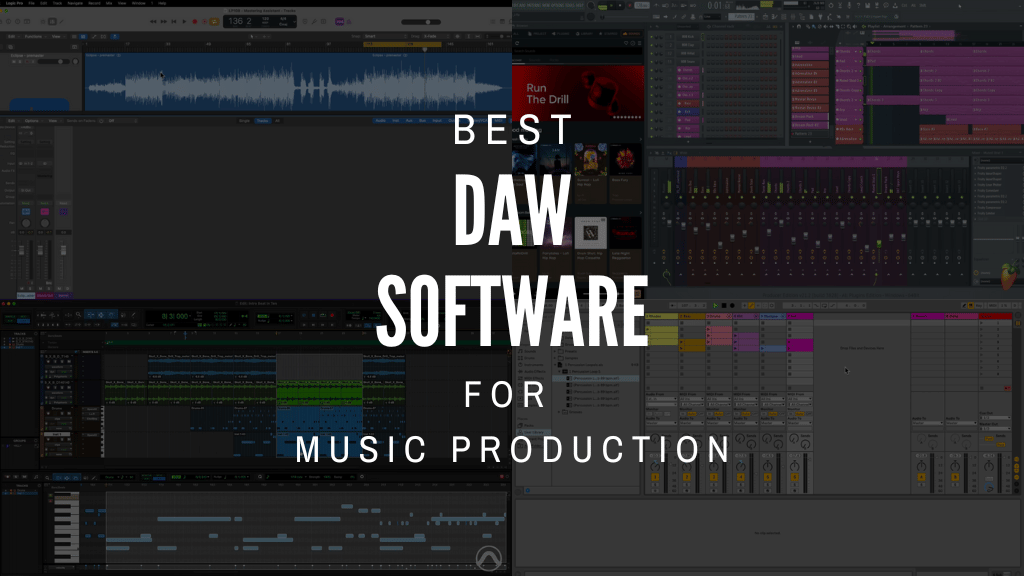
Every artist needs their canvas, their tools. For modern music creators, that canvas is often a Digital Audio Workstation, or DAW. More than just software, it’s the heart of your studio. The place where ideas become sound. Where beats take shape and melodies find their voice. But choosing the right one? That’s a journey.
Whether you’re a bedroom producer, live performer, or prospective recording engineer, your music vision starts with the right software. Let’s decode exactly what that looks like for you.
Top Picks
Here are the top picks in an easy-to-digest table format:
| Key Factor | Top Picks |
|---|---|
| Skill Level | – Beginners: GarageBand, Cakewalk – Intermediate: FL Studio, Studio One, Logic Pro – Advanced: Pro Tools, Ableton Live, Cubase, Bitwig |
| Budget | – Free: Audacity, GarageBand, Cakewalk – <$100: FL Studio Intro, Live Intro – $100-$300: FL Studio Producer, Live Standard, Logic Pro – High-End: Live Suite, Pro Tools Ultimate, Cubase Pro |
| Platform | – Windows: FL Studio, Cakewalk – Mac: Logic Pro, GarageBand – Cross-Platform: Pro Tools, Cubase, Studio One |
| Music Genres/Styles | – EDM: Ableton Live – Hip-Hop: FL Studio – Rock: Logic Pro – Electronic: Bitwig Studio |
| Notable DAWs | – Ableton Live: Live performance focus – Logic Pro: Refined all-around production – FL Studio: Pattern-based beat creation – Cubase: Pro mixing and editing – Studio One: Ease of use, great workflow |
| Free Options | – Audacity: Open-source, multi-platform – Cakewalk: Fully-featured DAW now free |
What is a DAW and Why Choose the Right One?
A DAW. It stands for Digital Audio Workstation. Simple, right? But the reality is far more powerful. Think of it as your virtual recording studio, mixing desk, and instrument collection—all rolled into one potent package. This software suite is where you record audio, program MIDI, arrange tracks, mix levels, and master your final piece. Every sound you hear on streaming services, in films, or on the radio? Chances are, a DAW played a central role in its creation.
The Importance of a Digital Audio Workstation
Why such a fuss over a piece of software? Because your DAW profoundly shapes your creative process. It’s not just about features; it’s about workflow. The way a DAW is designed can either inspire you or roadblock you. A good DAW feels like an extension of your own musical mind. It should facilitate ideas, not hinder them. It streamlines everything from initial beat conception to the final polish of your master. Your entire music production workflow hinges on this choice.
How a DAW Can Transform Your Music Production Workflow
The right DAW doesn’t just record sound. It organizes it. It gives you the power to manipulate time, pitch, and timbre in ways once unimaginable. Imagine crafting complex electronic music with a few clicks, or layering orchestral arrangements without ever touching a real instrument. A powerful DAW opens up possibilities. It allows you to experiment, iterate, and refine with incredible precision, accelerating your progress from demo to distribution. It’s a complete creative ecosystem, ready for your artistic vision.
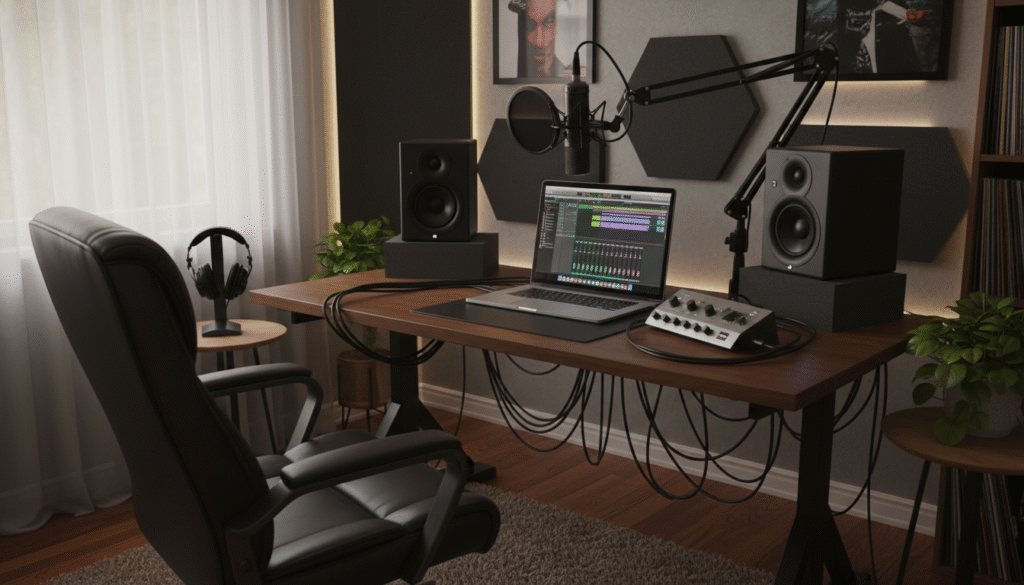
Factors to Consider When Choosing Your Best DAW
Choosing a DAW isn’t like picking a car. There’s no single “best” option. Your ideal choice is deeply personal, influenced by a myriad of factors unique to your musical journey. Before we dive into the contenders, let’s consider what truly matters.
Your Musical Genre and Style (Electronic, Acoustic, Film Scoring, etc.)
This is arguably the biggest differentiator. Are you a beatmaker focused on hip-hop or electronic music? You might prioritize powerful sequencing and sample manipulation. A singer-songwriter, however, will want stellar audio recording capabilities and intuitive arrangement tools. Film composers need robust MIDI, orchestral libraries, and notation features. Some DAWs shine brightly in specific genres. Others are generalists. Think about what you create most often.
Operating System Compatibility (Windows, macOS, Linux, iPadOS)
A practical, but often overlooked, hurdle. Most major DAWs run on both Windows and macOS. However, some, like Apple’s Logic Pro and GarageBand, are exclusive to Mac and iPadOS users. PC users have a wide array of choices, while Linux users have fewer, but dedicated, options like Bitwig. Always check OS requirements first. You don’t want to fall in love with a DAW only to discover it won’t run on your machine.
Budget and Pricing Models (One-time purchase, Subscription, Free)
DAWs come at wildly different price points. Some are completely free, like GarageBand or the basic versions of Studio One. Others offer a one-time purchase that grants you perpetual license ownership. Then there’s the subscription model, often seen with industry-standard tools like Pro Tools, where you pay a monthly or annual fee for access and updates. Consider your budget. A free or affordable DAW can be an excellent starting point, allowing you to learn the ropes without breaking the bank.
Workflow and User Interface Preferences
Every DAW has its own philosophy. Its workflow is unique. Some are linear, like a traditional tape machine. Others are more modular and experimental. Spend time watching tutorials or trying demos. Does the interface feel intuitive? Does it inspire you? Or does it feel cluttered and confusing? This is subjective, but critical. A comfortable workflow means more time creating, less time struggling.
Included Instruments, Effects, and Plugin Support (VST, AU, AAX)
DAWs aren’t just empty shells. They often come bundled with a vast array of virtual instruments (synths, drums, pianos) and effects (reverbs, compressors, EQs). These plugins can be invaluable. Beyond the stock offerings, consider VSTs (Virtual Studio Technology), AUs (Audio Units for Mac), and AAX (Avid Audio eXtension for Pro Tools) plugin support. Almost every DAW supports VSTs, giving you access to a massive third-party ecosystem. Check if your preferred plugins are compatible.
Your Experience Level (Beginner, Intermediate, Professional)
Are you just starting out, or have you been producing for years? Beginners often benefit from simpler, more guided interfaces. GarageBand is perfect for this. Intermediate users might crave more control and advanced mixing tools. Professionals demand rock-solid stability, advanced audio editing, and industry-standard compatibility. Don’t choose an overly complex DAW if you’re a novice; you might get overwhelmed.
Hardware Integration (Audio Interfaces, MIDI Controllers)
How well does the DAW play with your physical gear? If you record live instruments or vocals, your audio interface needs seamless integration. If you use a MIDI controller for playing virtual instruments, you want easy setup and mapping. Most modern DAWs handle this well, but some have tighter integrations or specific features for certain hardware. Think about your existing studio setup.
Best DAWs for Different Music Production Styles
Beyond universal factors impacting any music creator, DAW capabilities directly correlating to your musical style should guide your decision.
Here are top recommendations tailored to four common production approaches:
Best DAW for EDM: Ableton Live
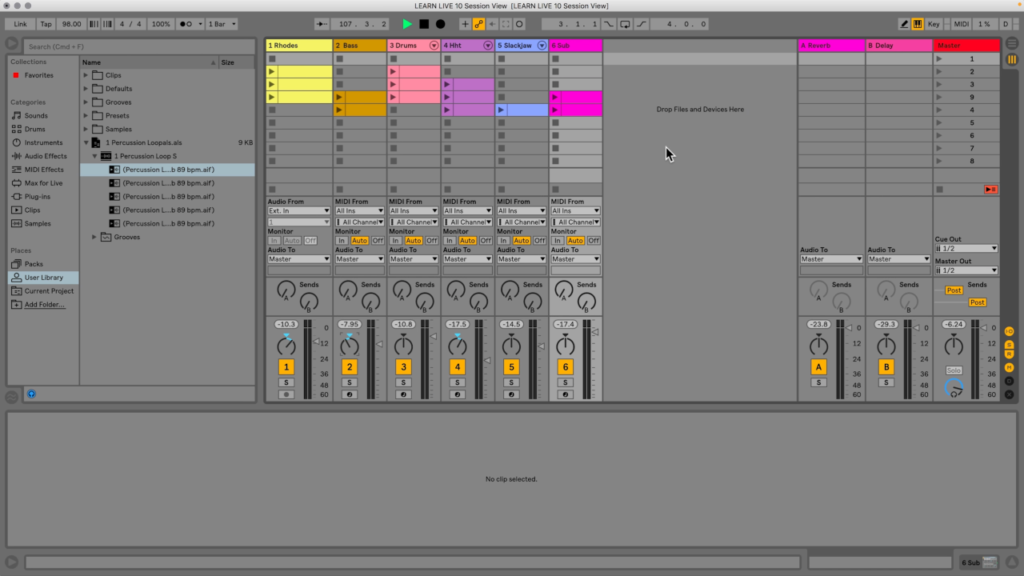
For electronic dance music production, especially involving live performance or hardware integration, Ableton Live leads as a top choice.
Its signature clip launching sessions and scenes enable improvisational remixing and transitions for dynamic shows. Robust MIDI sequencing and warping features facilitate rapid fire iteration for sound design.
The intuitive interface visualizes your signal routing while keeping essential tools easily accessible. And with Max for Live expansion, the possibilities are truly endless for customizing your production environment.
For EDM artists, Ableton empowers spontaneous yet precise sonic experimentation.
Best DAW for Hip-Hop: FL Studio
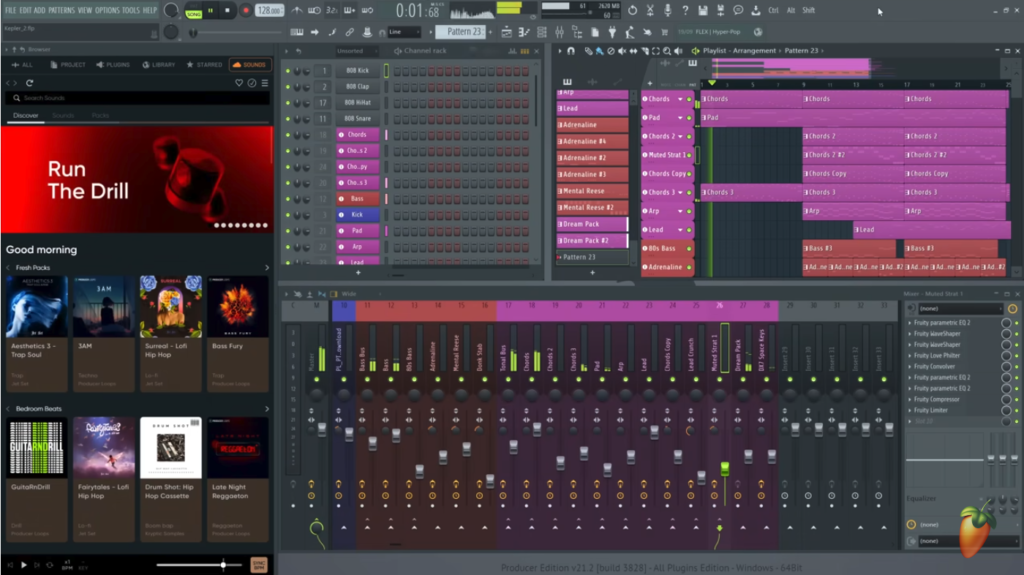
Thanks to intuitive beat creation tools and a pattern-centric arrangement, FL Studio has emerged as a favorite for hip-hop producers.
The Step Sequencer enables rapid drum programming with quick variation options. You can sequence bars on the fly while tweaking note automation parameters.
FL Studio also offers state of the art time-stretching for mangling samples. Between its slicing capabilities and integrated plugin instruments like Gross Beat and Toxic Biohazard, FL expedites manipulating sounds in exciting ways.
For hip hop heads, especially beatmakers, FL Studio clicks as a ideal canvas for creation thanks to its emphasis on sequencing, sampling and sound design.
Best DAW for Rock: Logic Pro
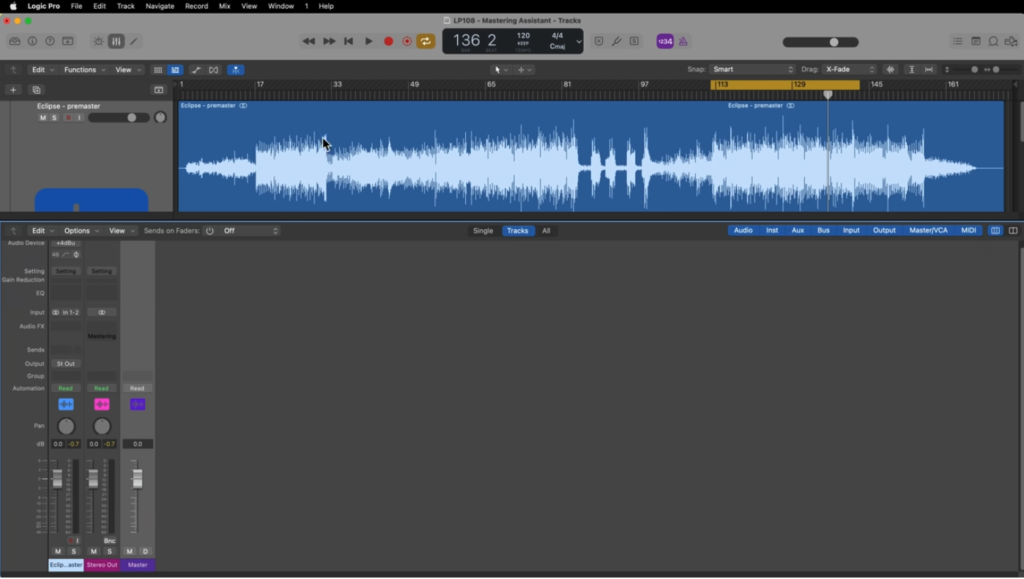
For bands tracking live rock instrumentation, Apple’s Logic Pro rules as a refined recording platform.
Its processing power ably handles dozens of tracks while monitoring live inputs with minimal latency. Editing offerings allow surgical refinements, perfect for fixing subtle timing issues or tuning vocals.
You also get an enormous amount of content, like realistic sampler instruments, guitar amps and pedals for supplementary overdubs. Automatic functionality like Smart Tempo detection and the drummer track generator save time producing song ideas.
For groups capturing electric or acoustic instrumentation, Logic Pro strikes the perfect balance between recording prowess and supplementary production tools.
Best DAW for Electronic Music: Bitwig Studio
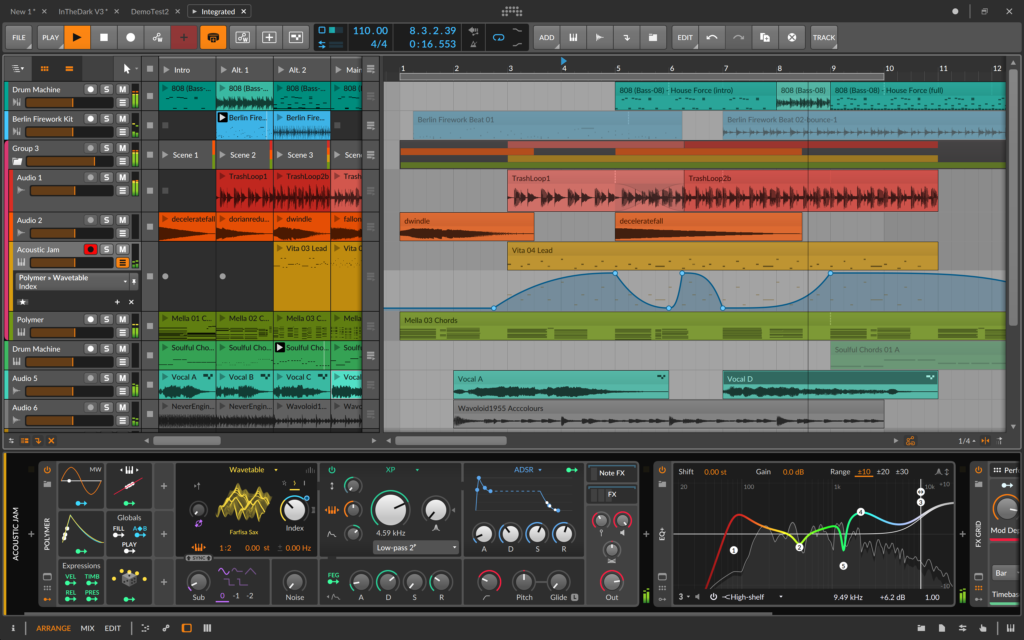
For electronic producers seeking limitless customization in sound generation avenues, Bitwig Studio provides utterly unique solutions.
The open modular environment empowers you to build your own instruments and effects. Intuitive graphical patching bay interfaces emulate modular synth matrices.
Animated containers enable a production workflow dictated entirely by your creative whims rather than traditional timelines. Nest device chains to amalgamate instruments of infinite layers and parameter configurations.
For electronic artists aligned with experimental approaches, Bitwig Studio wholly redefines what music production software can offer. Claim complete command of your sonic identity within Bitwig’s infinitely moldable ecosystem.
In-Depth Reviews of Top DAWs
Now that we’ve aligned optimal DAW solutions to common musical applications, let’s explore the frontrunners in greater detail:
Ableton Live
Overview
- Pioneering DAW emphasizing live performance,CLIP launching sessions, real-time manipulation
- Intuitive interface focused on signal routing visualization
- Robust MIDI sequencing and sample warping
- Comes in Intro ($99), Standard ($449) and Suite ($749) Editions
Key Features
- Session View for improvising with flexible Clip launching
- Powerful warping and automation tools for remixing sounds in real-time
- Group tracks to route instruments or layering
- 500+ audio effects and instruments included with Suite version
- Max for Live expansion facilitates endless customization
Who it’s for
- Electronic musicians focused on live performances
- Producers seeking improvisational remixing capabilities
- Sound designers needing quick iteration workflows
Verdict
Ableton Live redefines what music production software can offer thanks to its emphasis on spontaneity, revisions and experimentation with sound. Electronic and hip-hop artists will marvel at its creative liberation.
Logic Pro X
Overview
- Apple’s flagship DAW for macOS environments
- Clean, intuitive interface harboring tremendous depth
- Jam packed collection of plugins, virtual instruments and loops
- Mixing, editing and processing tools model professional studios’ tools
Key Features
- Console mixing environment with endless parametric control
- First-class automation functionalities for endless tweaking possibilities
- Articulate MIDI editing and sequencing tools
- 10,000+ instrument presets, loops and samples
- Dynamic plugin instruments like Alchemy, Retro Synth and Ultrabeat
Who it’s for
- Artists working extensively with live instrument tracking
- Electronic musicians and synthesists craving deep editing control
- Mixing engineers needing surgical sonic precision
Verdict
Offering seemingly endless production breadth and surgical polish for recorded sounds, Logic Pro makes a strong case as the best all-around professional DAW for Mac users.
FL Studio
Overview
- Long favored hip hop and EDM production suite
- Pattern-based arrangement diverges from traditional timelines
- Excellent MIDI sequencing and mixing depth
Key Features
- Step sequencer for quickly programming drum beats and instrumentation parts *Slice samples with Edison and map creatively to drum pads
- Fantastic native synthesizers like 3xOSC, Sytrus and Harmless
- Intuitive automation workflows
- Available across four editions: Fruity ($99), Producer ($199), Signature ($299) and All Plugins ($899)
Who it’s for
- Beatmakers craving slick drum programming and manipulation capabilities
- EDM artists focused on synth-heavy compositions
- Sound designers needing quick access to quality instruments
Verdict
FL Studio clicks with electronic artists thanks to its emphasis on creative approaches to arranging, sequencing edits, harvesting sounds and crafting original patches from its flagship instruments.
Pro Tools
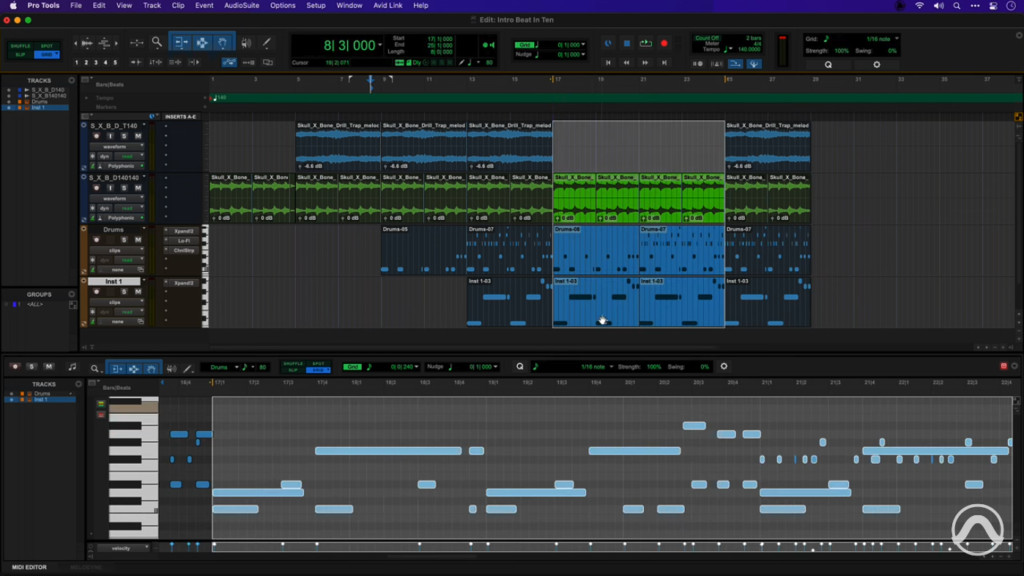
Overview
- Industry standard professional DAW for decades
- Ubiquitous in commercial recording studios worldwide
- Caters heavily toward precise audio editing and mixing capabilities
- Available via Pro Tools First (Free), regular Pro Tools (Subscription) and Pro Tools Ultimate (Subscription)
Key Features
- Over 75 included plugins and virtual instruments
- Dynamic timeline stretching for tightening performances
- Automatic playlist creation from record takes
- Advanced metering for informed mixing decisions
- Satellite and cloud collaboration support
Who it’s for
- Recording and mix engineers in commercial studios
- Film/gaming composers scoring to picture
- Live bands/ensemble tracking needing flawless recordings
- Solo artists who hire session musicians
Verdict
You’ll struggle to find a major studio not running Pro Tools for its tracking and mixing sessions. Simple root cause: over 30 years, Avid has honed the platform to cater to every need professional engineers encounter daily.
It may seem overly complex or esoteric for some bedroom producers. But for intermediate users serious about advancing towards mastery, Pro Tools remains the definitive standard in audio production excellence.
Studio One

Overview
- Rising favorite thanks to sleek interface, stellar workflow
- Developed by PreSonus for recording ease and software/hardware integration
- Available across Prime (Free), Artist ($99) and Professional ($399) versions
Key Features
- Mixing console harboring fat channel plugins, analog feel signal routing
- MIDI piano roll editing with quick quantization and manipulation
- Automation arranging tied to specific instrument performances
- Prime version available free for trying basic functionality
- Artist edition offering generous content library
Who it’s for
- Songwriters benefitting from arranging tools and notation capabilities
- Project studio producers wanting mixing prowess sans complexity
- Guitarists/vocalists seeking robust yet accessible tracking software
Verdict
Studio One streamlines music production so creators spend less time decoding interfaces and more time capturing performances. Its straightforward toolset empowers bedroom producers to achieve professional quality results.
Cubase
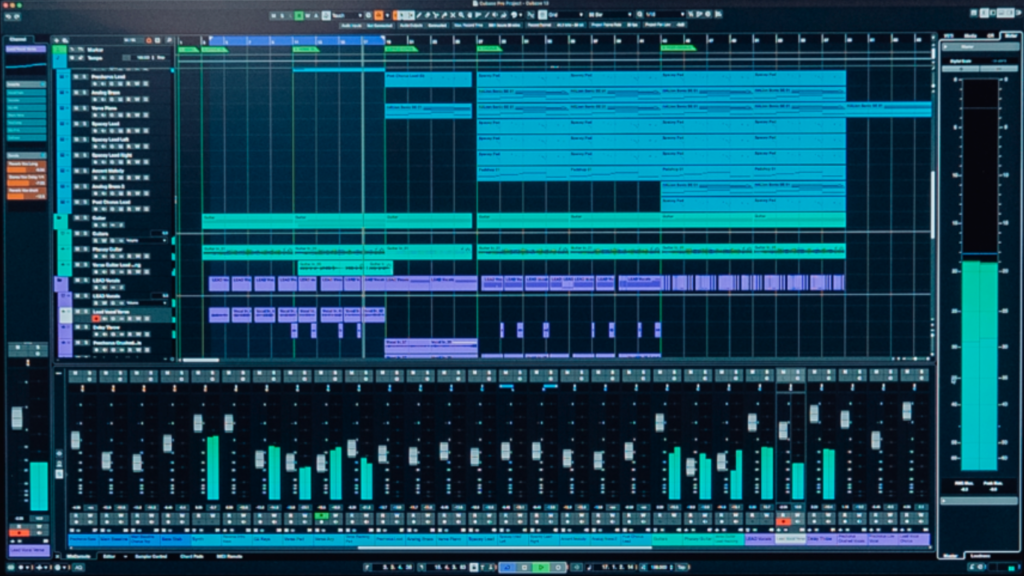
Overview
- Iconic DAW from Steinberg tracing back three decades
- Touted by many as the most powerful mixing and editing environment
- Comes in Elements ($100), Artist($330) and Pro ($580) versions
Key Features
- Levels of undo history for experimenting with mix variations
- Lane Tracks enable microscopic MIDI CC editing
- Advanced channel strip processing natively
- Spectral comparison visualizations while EQing
- Plentiful effects and virtual instruments included
Who it’s for
- Recording engineers and commercial producers needing refined audio manipulation
- Film/game composers integrating music with visual media
- Mixing specialists looking to leverage deep editing control
Verdict
Cubase pioneered the DAW concept from early sequencer roots. Today its meticulous toolset for MIDI and audio production makes it a favorite in high-end studios.
Free and Open-Source DAW Options
For producers working with limited budgets, numerous free DAW solutions exist as great entry points:
Audacity
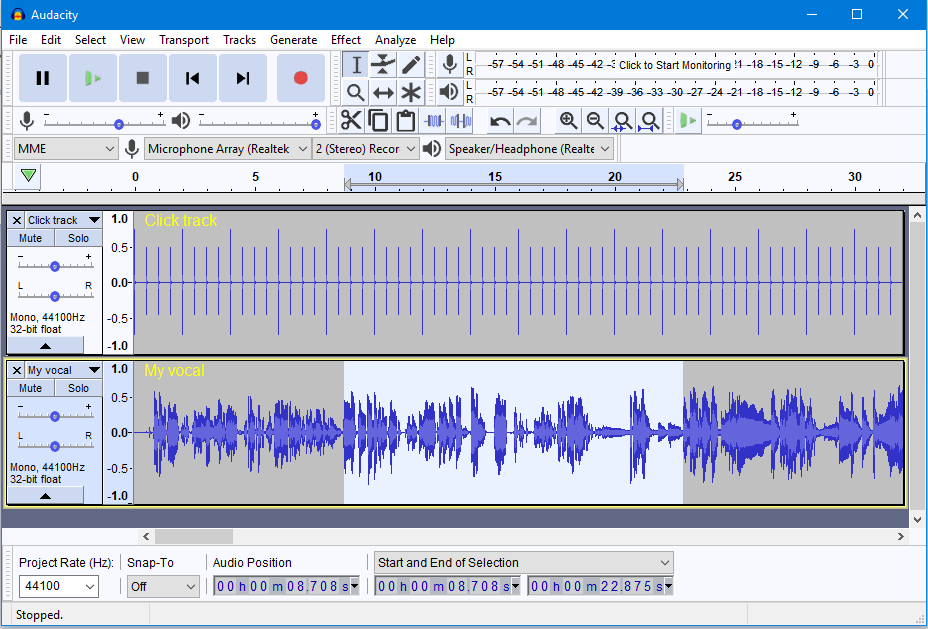
Audacity offers an open-source, completely free multi-track recorder for Windows, Mac and Linux devices.
It handles basic tasks like recording live instruments, importing audio, editing waveforms, mixing, adding effects and exporting final tracks.
While missing some more advanced features tailored for composition, Audacity works smoothly for basic editing and processing needs. For amateurs wanting to wet their feet before committing to a paid DAW, Audacity removes all barriers.
Cakewalk by BandLab
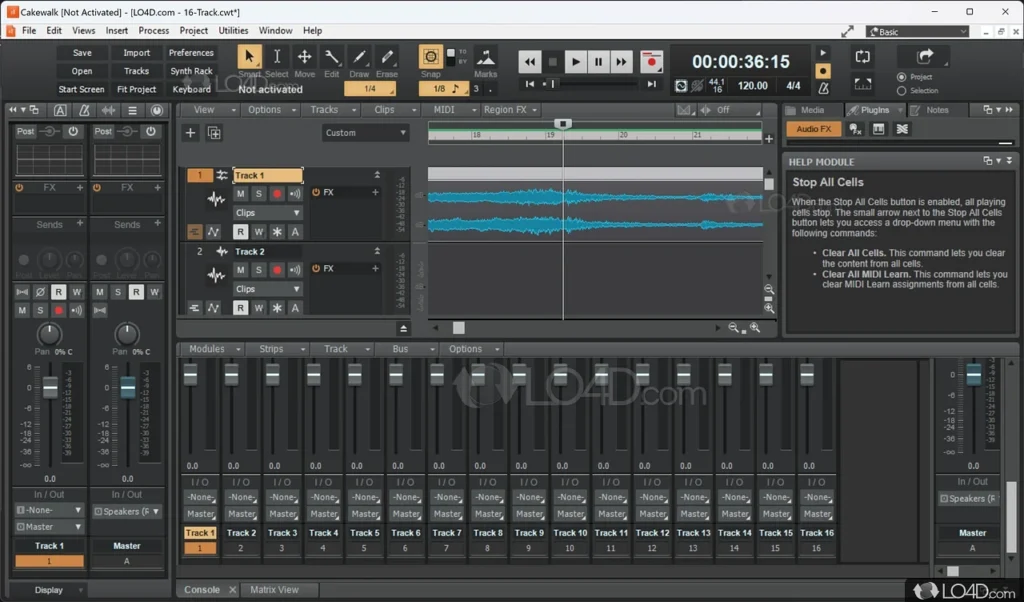
A celebrated classic DAW formerly known as SONAR, Cakewalk recently got revived and made free across Windows platforms.
It retains the professional tools of its premium predecessor like advanced editing suites, mixing capabilities, notation functions and a complete collection of virtual instruments.
For Windows users wanting more growth potential than Audacity without financial obstacles, Cakewalk offers a full-featured environment to learn and create within.
Additional Considerations for Choosing a DAW
Beyond concrete factors like price, platform compatibility and specialty tools, several intangible elements impact your long term experience:
Learning Resources
When adopting new software complexity, learning materials accelerating your mastery save precious time.
Most premium DAW developers offer extensive training options from instructional manuals, to video tutorials, online courses and archived knowledge bases.
Probe these ancillary educational avenues when evaluating options to ensure ample support structures.
Community Support
An engaged user community goes hand-in-hand with learning resources. Avid forums and discussion boards solve issues collaboratively while inspiring new creative directions.
Nearly all DAWs nurture vibrant communities: subreddits, Facebook groups, messaging boards and more. Lean on these networks when confronting new challenges.
Future Updates
DAWs constantly evolve with regular software updates. Factor a developer’s update track record and future developmental roadmaps into your selection.
FL Studio for instance promises free lifetime updates for all current customers. Bitwig offers frequent incremental releases improving stability and performance.
Staying current with the latest features and compatibility will pay dividends for your productions as technology progresses.
Conclusion
At the end of day, the best DAW software for your musical aspirations aligns intuitively with your creative temperament.
Hopefully this guide has matched you with options suiting your objective needs and subjective preferences. Test trial versions of your frontrunners firsthand before taking the full plunge.
Most importantly, choose the DAW empowering you to translate the musical visions in your mind into tangible listening experiences audiences will cherish.
The right software catalyzes growth rather than inhibiting progress. Here’s to many years of inspired creation ahead with your new trusted production partner!
- Ableton Live: https://www.ableton.com/en/live/
- FL Studio: https://www.image-line.com/fl-studio/
- Logic Pro: https://www.apple.com/logic-pro/
- Pro Tools: https://www.avid.com/pro-tools
- Cubase: https://www.steinberg.net/cubase/
- Studio One: https://www.presonus.com/products/Studio-One
- Bitwig: https://www.bitwig.com/en/home.html
- Audacity: https://www.audacityteam.org/
- Cakewalk: https://www.bandlab.com/products/cakewalk